
Changing the Account Owner
The account owner is the main account for your school. Only the account owner can choose someone else to take over.
The new account owner must already be a teacher in your school who has accepted their invitation. If they haven’t joined yet, invite them first.
-
Click your name at the top of the sidebar, then choose Settings.
-
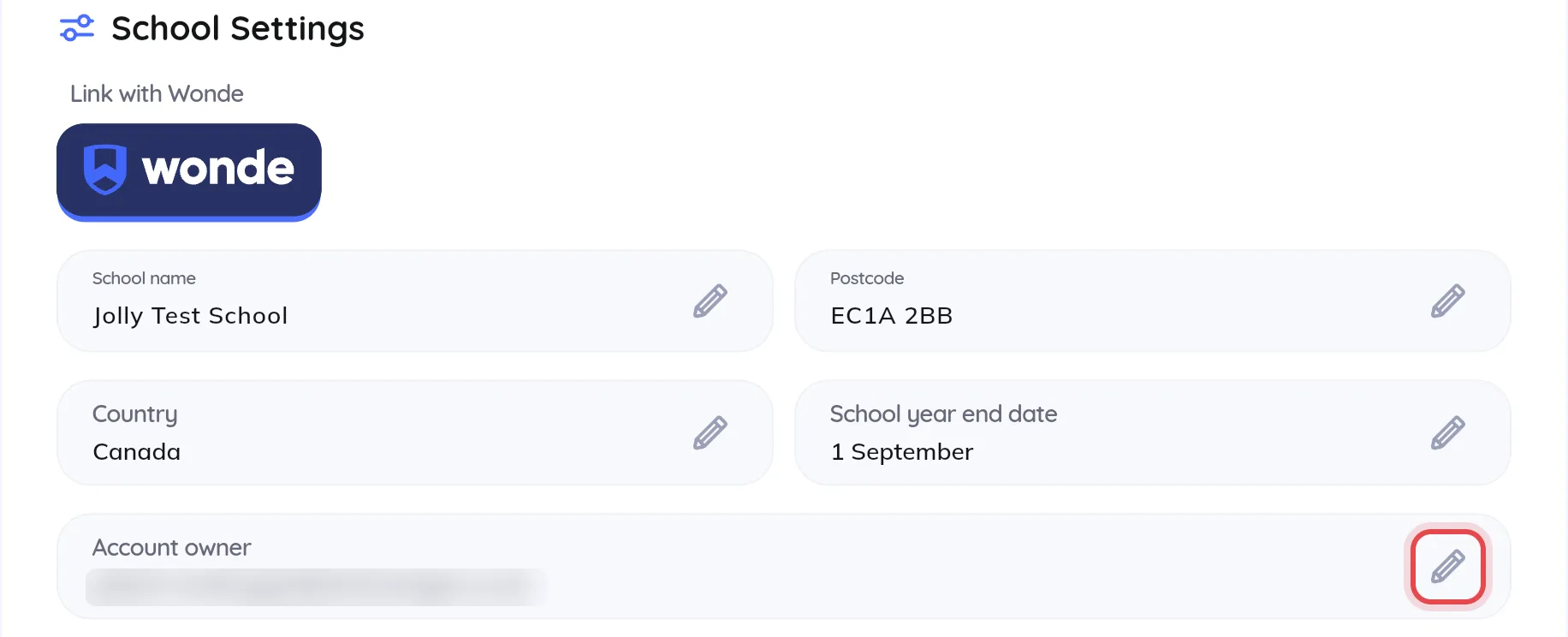
Scroll down to School Settings and click the pencil icon next to Account owner.
-
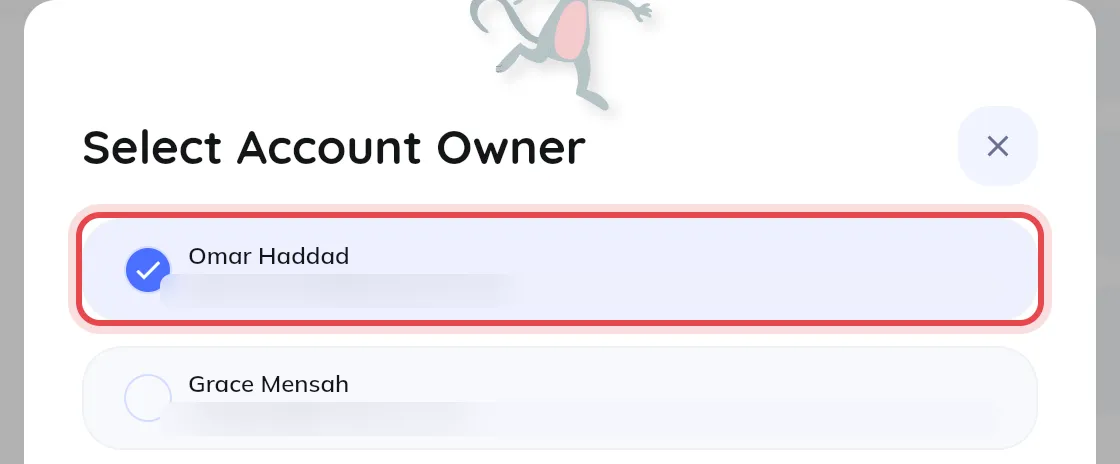
Select the teacher who should become the account owner. The list can take a few seconds to load.
-
Click Save changes.
Once saved, the new account owner takes over the account owner permissions, including changing the account owner and choosing admins. To keep managing the school yourself, ask them to make you an admin.