Managing Classes
The account holder and managers can manage every class. Any teacher assigned to a class can manage that class, including adding pupils.
-
Open Settings
Click Settings in the sidebar.

-
Go to the Classes tab
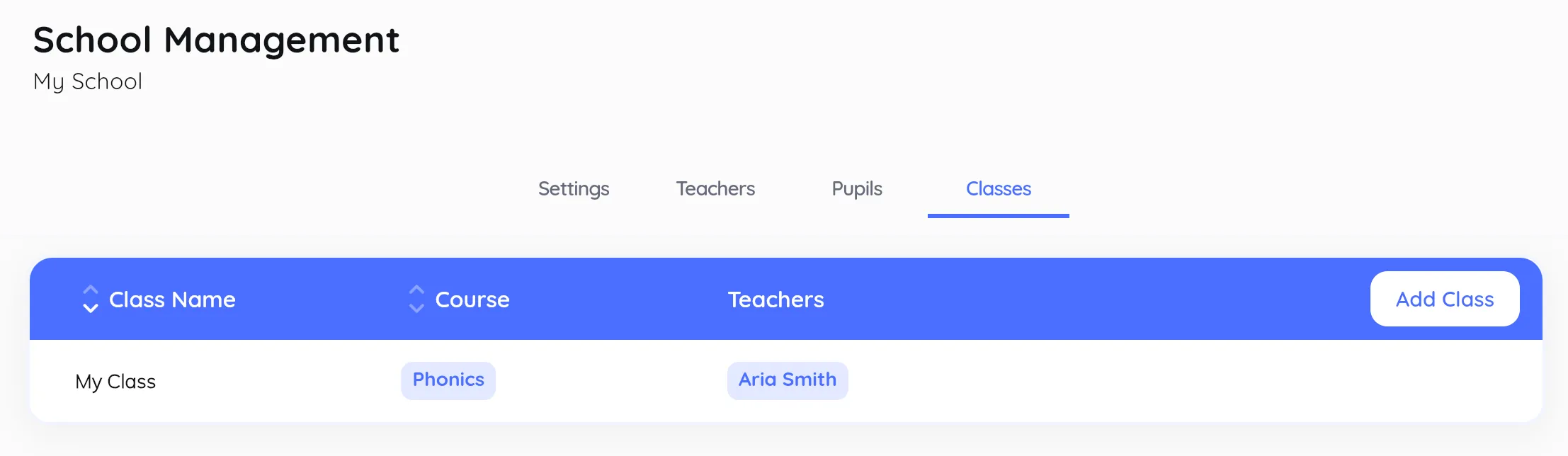
Open the Classes tab.

-
Create a class
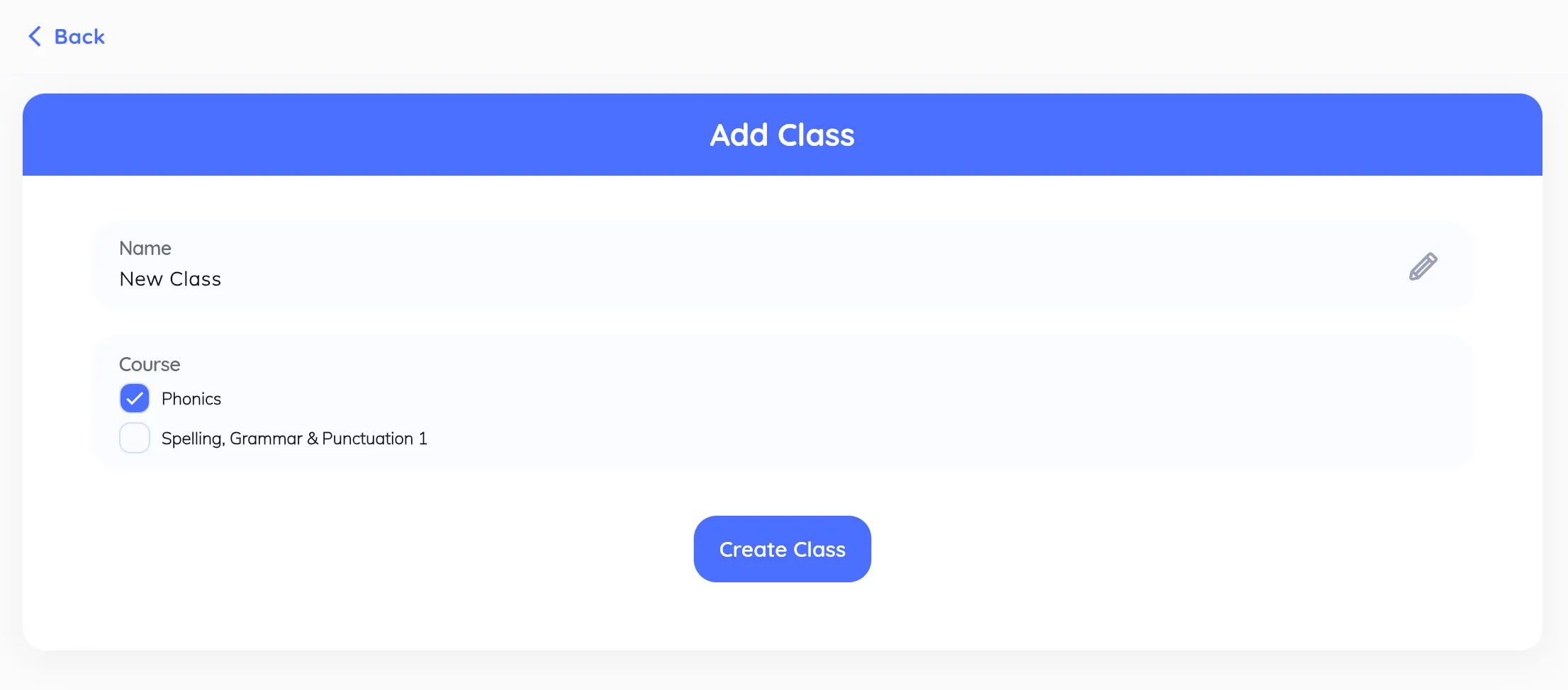
Click the + button to create a class. Give it a name and an optional Display ID, then choose its course: Jolly Phonics or Spelling, Grammar & Punctuation. You can assign teachers and pupils now or later. Click Create Class to finish.
-
Edit a class
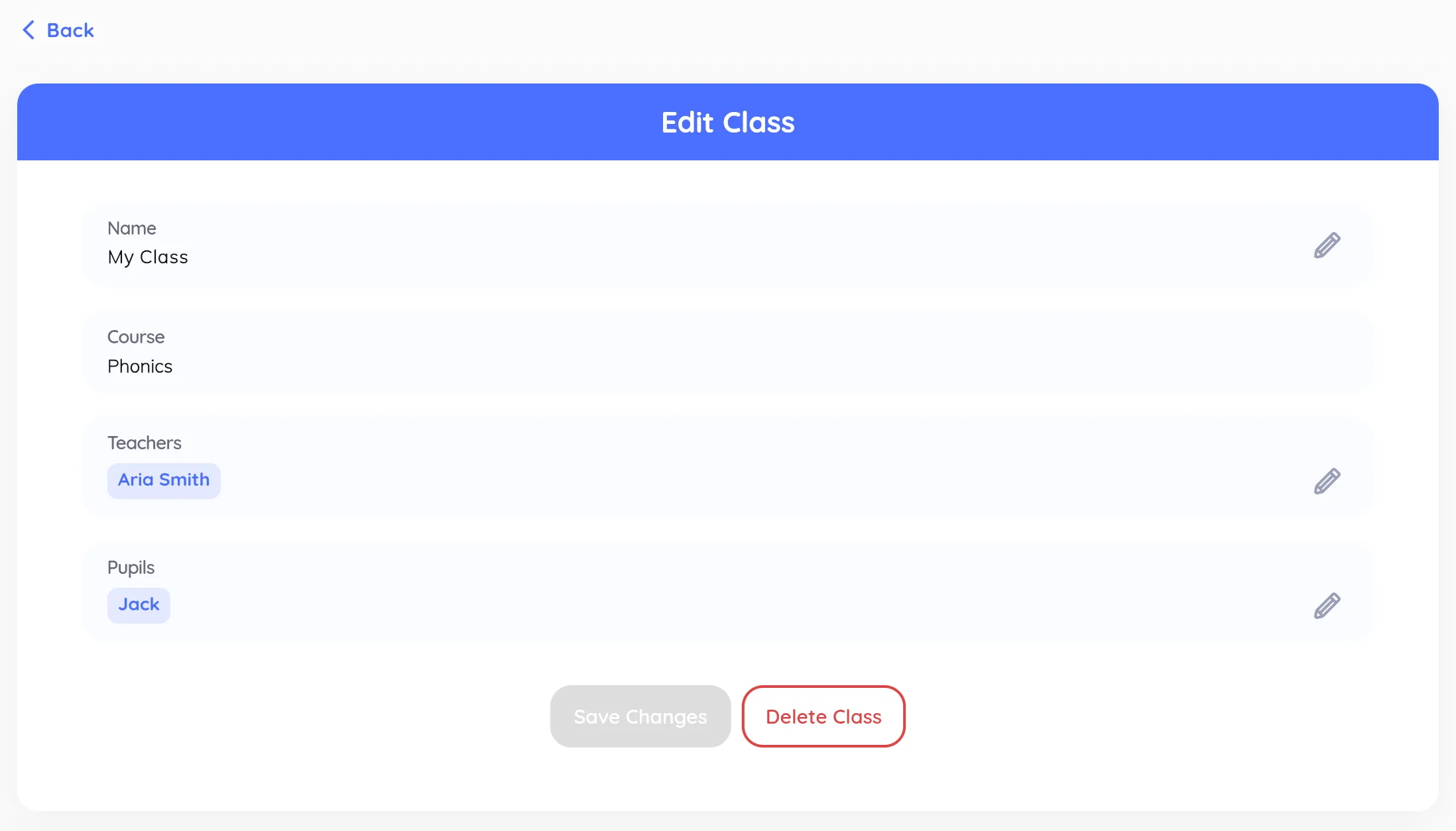
Click a class in the list to open its details, where you can:
- Rename it or change its Display ID
- Add or remove teachers
- Add or remove pupils
Use the pencil icon next to the teachers or pupils field to change them. Save with Save Changes.
-
Archive a class
From the class details, click Archive Class. Archived classes can be edited only by their teachers, and you can unarchive them later. Only the account holder and managers can archive a class.