Skip to content

Cancelling a Card Subscription

If you no longer wish to continue with your current Jolly Classroom subscription, you can cancel it easily through your account. Here’s a step-by-step guide to help you through the process.

  1. Go to the Subscription Page

    Start by visiting the Jolly Classroom subscription :

    👉 https://app.jollyclassroom.com/#/home/account_settings/subscription

    Make sure you’re logged into the correct account where the subscription is active.

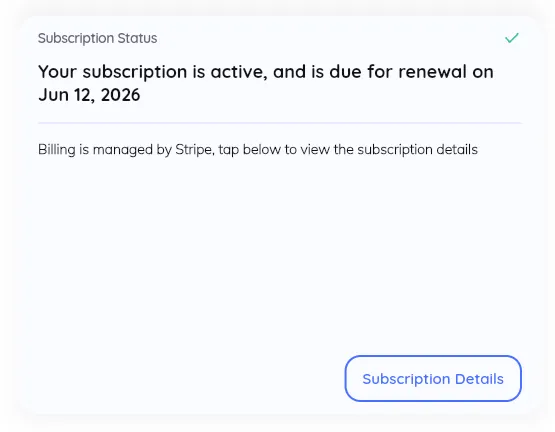
  2. Click on Subscription Details

    Zrzut ekranu 2025-06-12 o 18.19.30.png

    Once you’re on the subscription page, look for the Subscription Details section. This is where you’ll find all the information related to your current plan — including billing info, renewal date, and options to make changes.

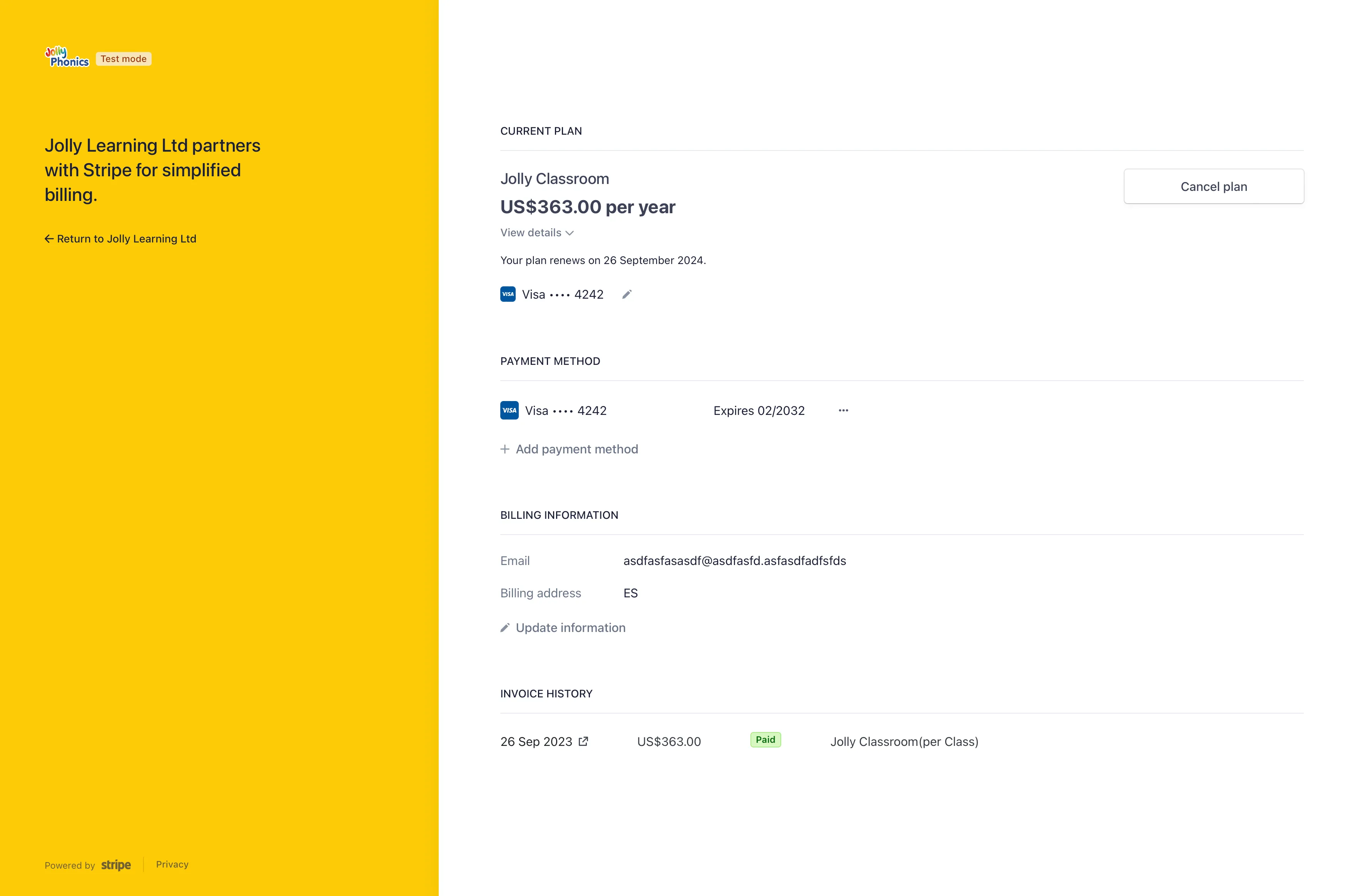
  3. Click on Cancel Plan

    Screenshot 2023-09-26 at 13.48.25.png

    Click the Cancel plan button to initiate the cancellation process.

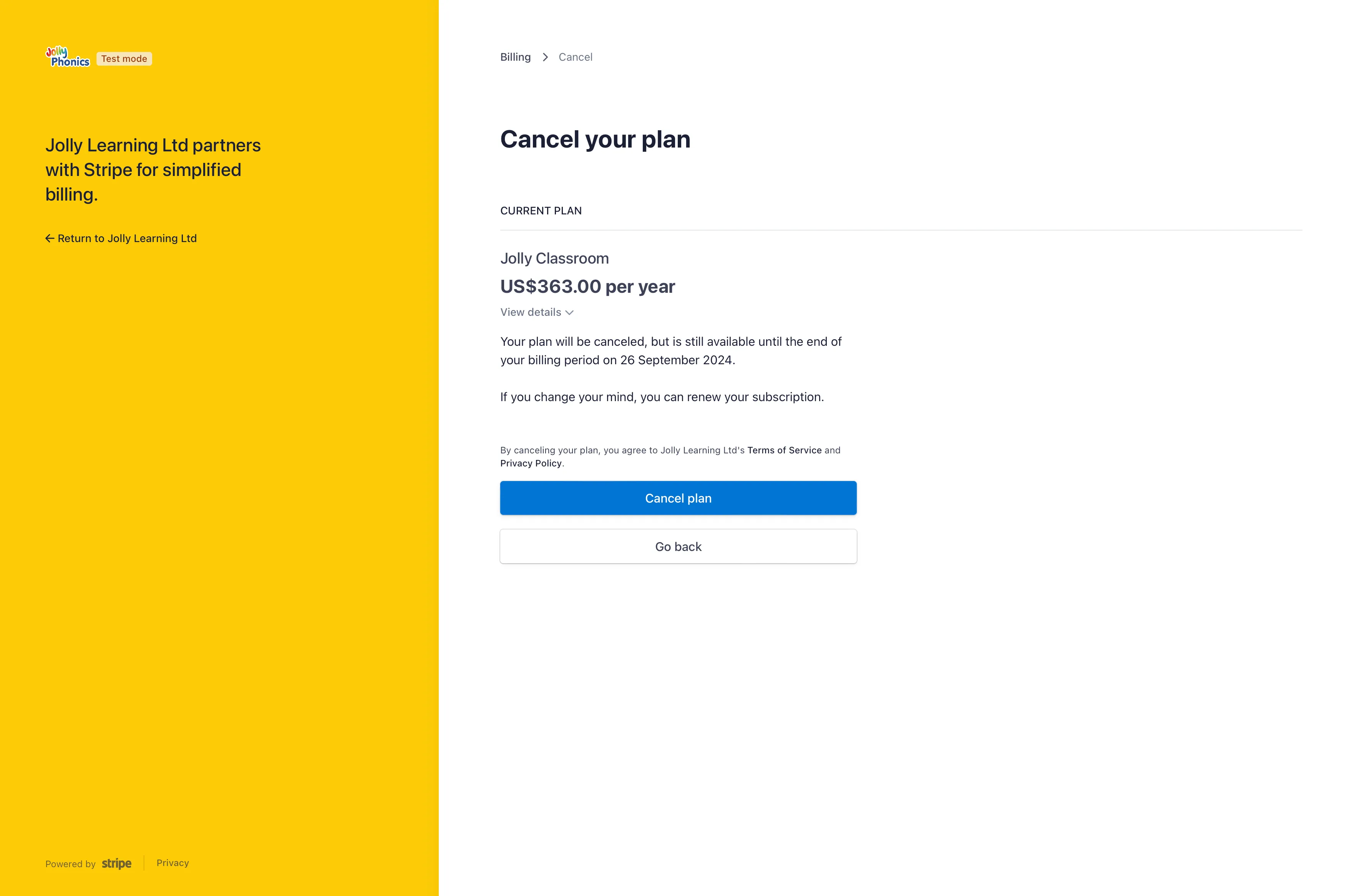
  4. Confirm the Cancellation

    Screenshot 2023-09-26 at 13.48.42.png

    Confirm your choice to complete the process. Once confirmed, your subscription will remain active until the end of the current billing period, after which it will not renew.