Progress Tracking
Individual Pupil Progress
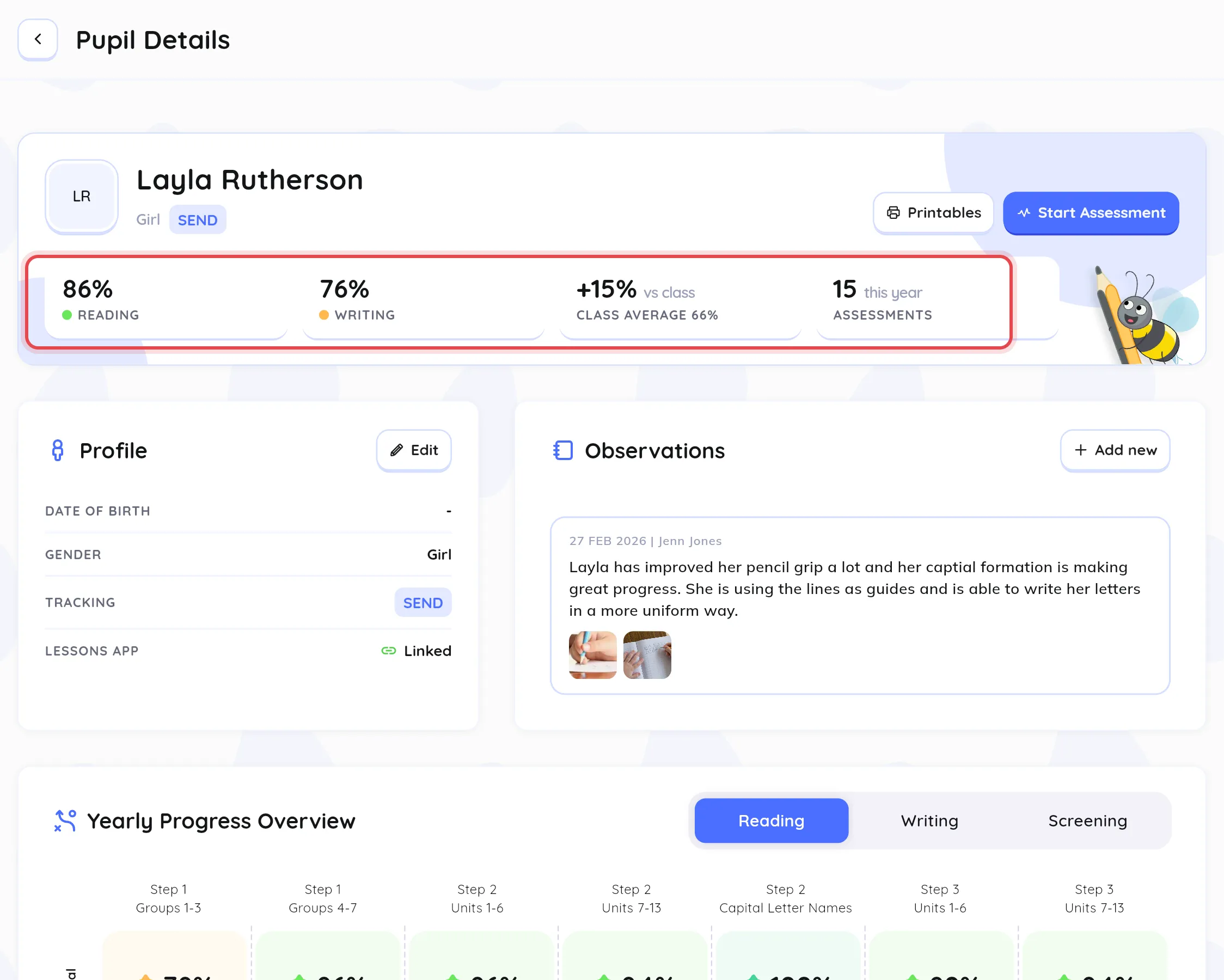
Section titled “Individual Pupil Progress”Open a pupil from the Pupils area to see:
- Scores: their latest Reading and Writing scores, the change since their previous assessment, and how they compare with the class average.
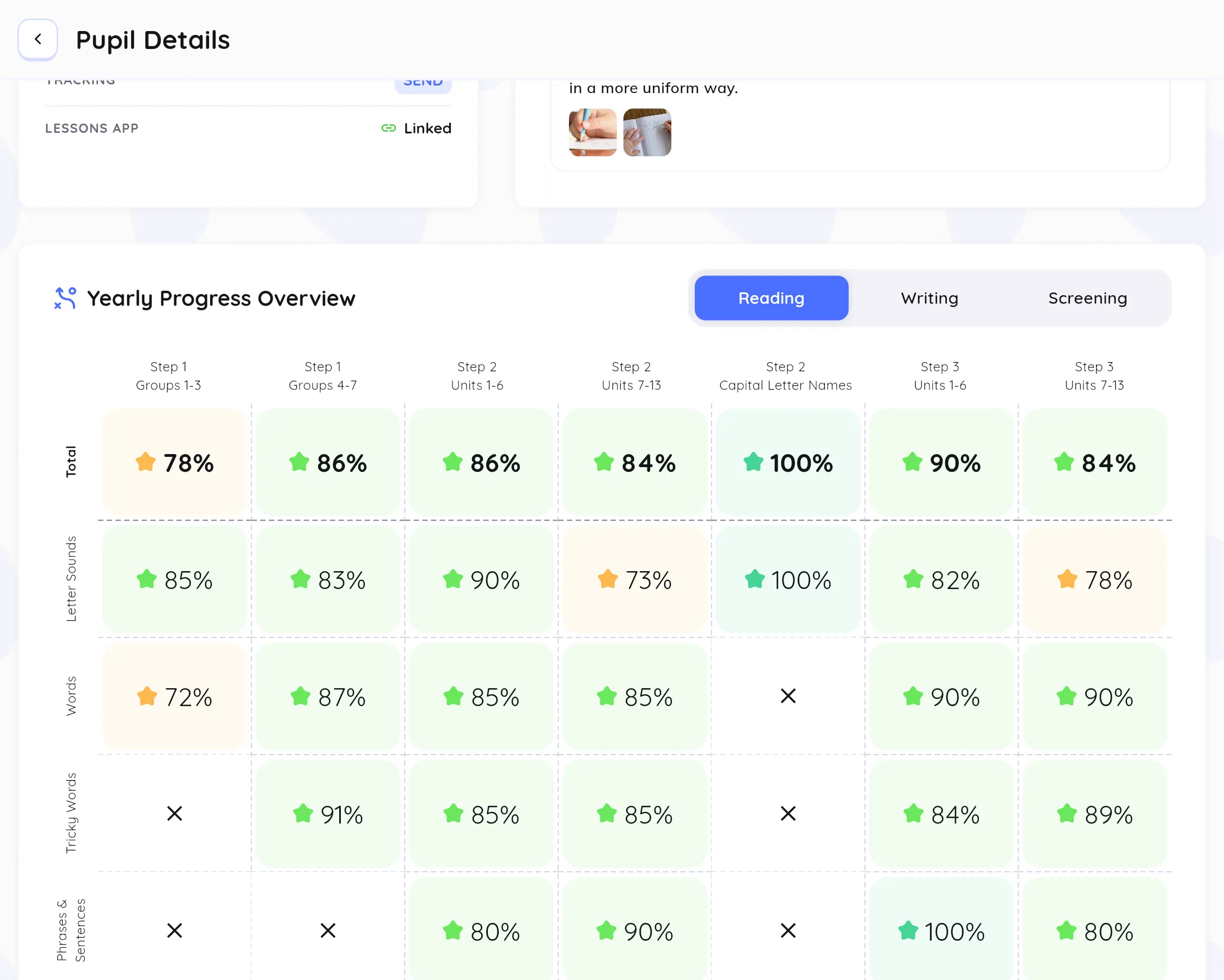
- Yearly Progress Overview: their score in each category for every assessment this year.
- Assessment History: every past assessment, with a breakdown of each answer.
Class Progress
Section titled “Class Progress”Open the Assessment Dashboard from the Assessments card on the dashboard to see:
- Class Average and how many pupils are on track or at risk
- Assessment Trends: class averages for each category
- Extra Support: pupils identified for extra help
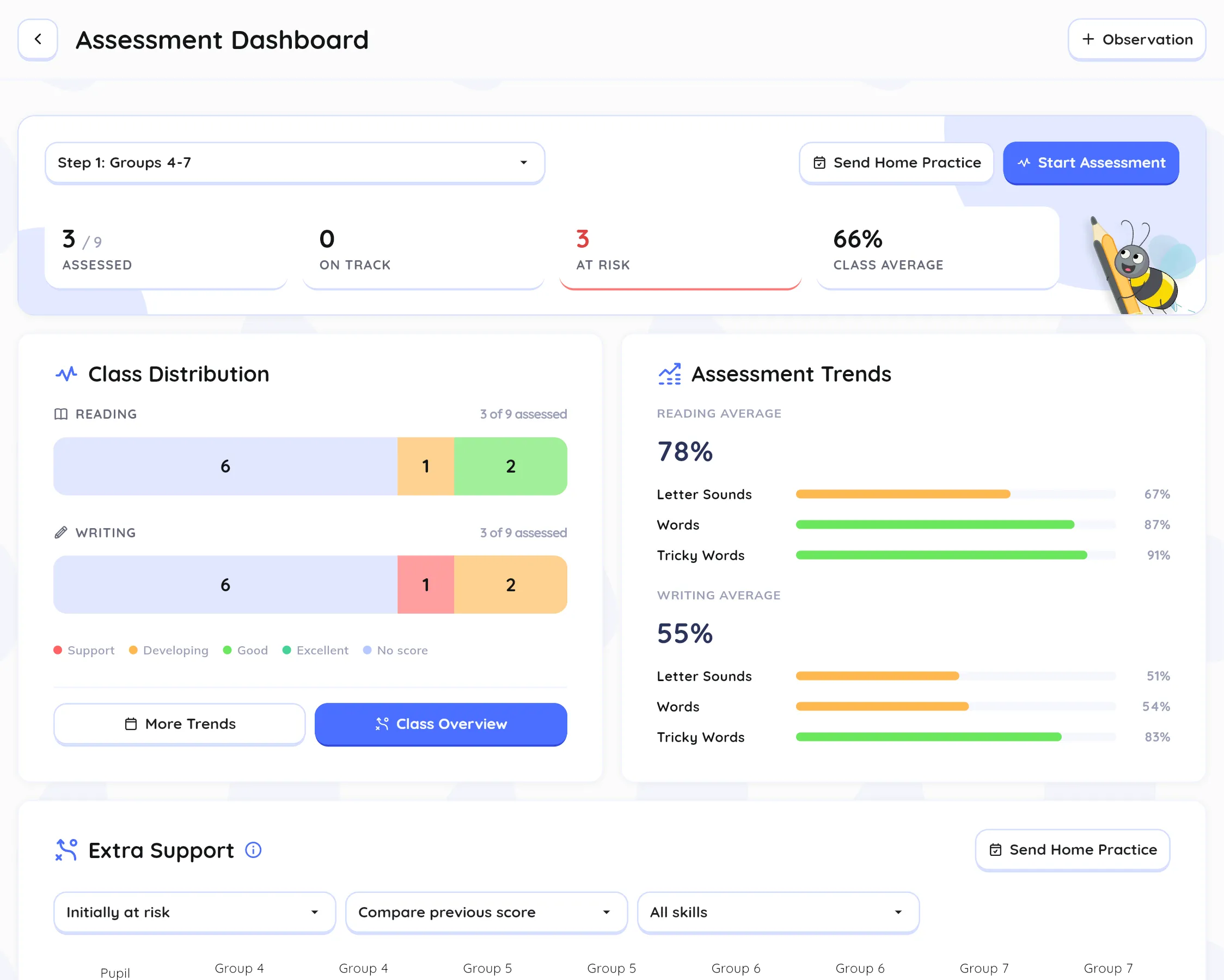
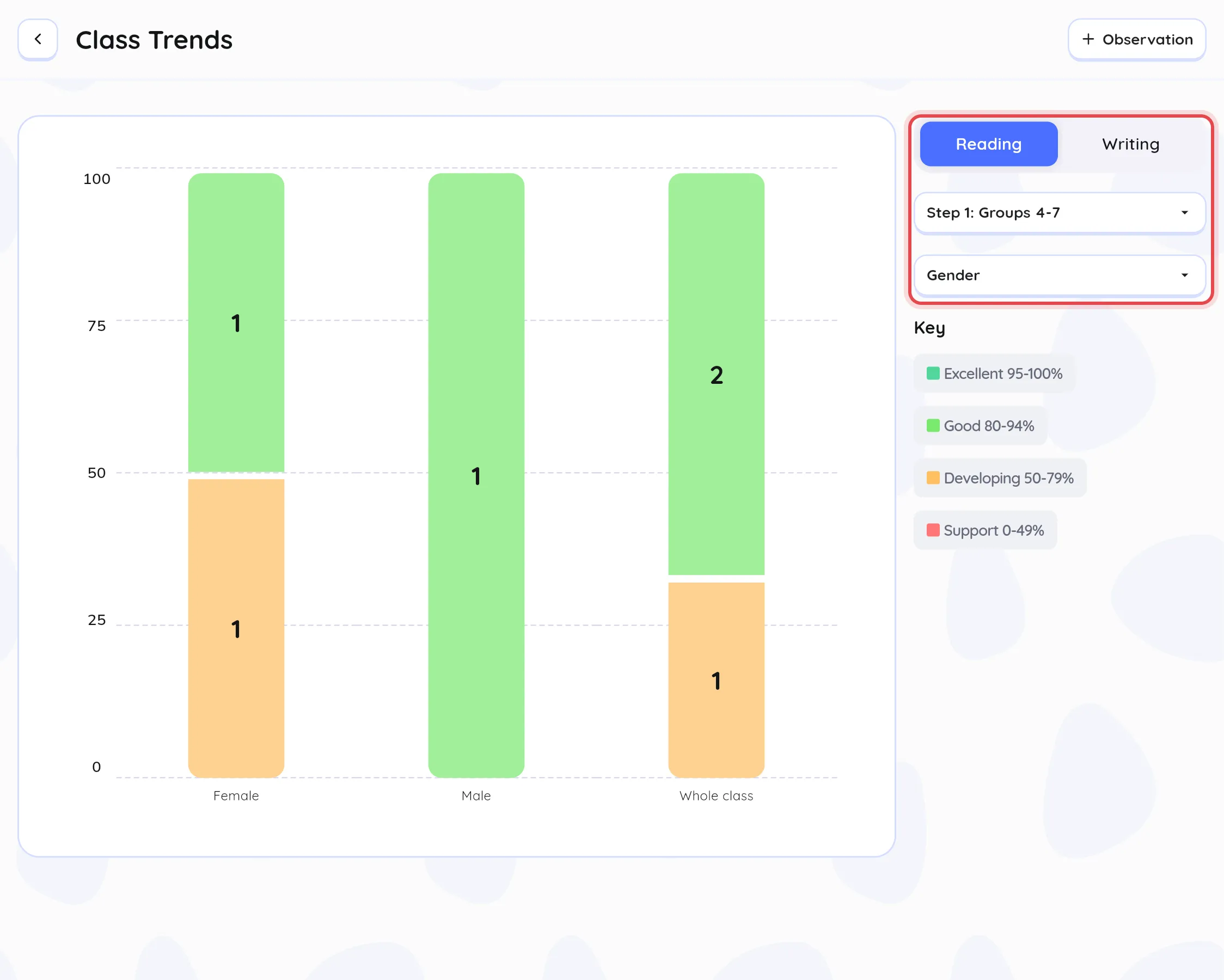
Click More Trends to open Class Trends. Switch between Reading and Writing, and group the results (for example, by gender) to compare groups of pupils.